Practical logo guides by trade
How to prepare a logo for embroidery: files and rules
A logo that looks perfect on screen can turn into a blob of thread once embroidered 5 cm wide on a polo shirt. Embroidery has its own rules: the design is translated into stitches, and fine details, gradients and small type do not survive it well. Here is how to prepare your logo, what to ask your embroiderer and which files to send.
BrandMotion Lab · Published · 6 min read
What happens between your logo and the machine
An embroidery machine reads neither SVG nor PNG. Your logo must first be digitized (also called “punched”): a professional redraws it as stitches, choosing for each area the stitch type, its direction and density, the underlay that stabilizes the fabric and the compensation that keeps shapes from shrinking.
The result is a machine file in a format specific to the machine maker, such as DST or PES. That file depends on the final size, the fabric and the machine: the same logo is digitized differently for a polo chest and for a jacket back. Always ask your embroiderer which format they use and whether they handle the digitizing themselves.
What you provide is a clean source file, ideally vector. The stitch file itself is produced by the embroiderer or a digitizer.
Technical guidelines: what suppliers say
There is no universal standard: thresholds vary with fabric, technique, size and equipment. The guidelines suppliers publish still give an order of magnitude, and show that they do not all agree.
| Published guideline | Printful (flat embroidery) | Brandix |
|---|---|---|
| Minimum text height | 0.25 inch, about 6.35 mm | 4 mm |
| Minimum line thickness | 0.05 inch, about 1.27 mm | 0.8 mm |
In practice, treat these values as a floor and ask your embroiderer for their exact requirements at your size and on your garment. The smaller the logo, the tighter these limits get: a thin tagline under a name, elegant on screen, turns into clogged letters on a 2 cm chest mark.
Simplifying the logo for embroidery
- Remove gradients, shadows and lighting effects. Thread lies in flat areas; a gradient can only be imitated, often poorly.
- Limit the number of colors. Each shade needs its own thread, so a thread change. Ask how many colors your embroiderer accepts at the planned size.
- Thicken thin strokes and open up counters, the inner spaces of letters such as O, A or e, so they do not fill in.
- Remove tiny elements: tagline, small ornaments, illustration details.
- Prepare a symbol-only version for small placements: sleeve, collar, side of a cap.
- Prepare a light version for dark fabrics instead of relying on an outline.
Demo: two logos facing embroidery
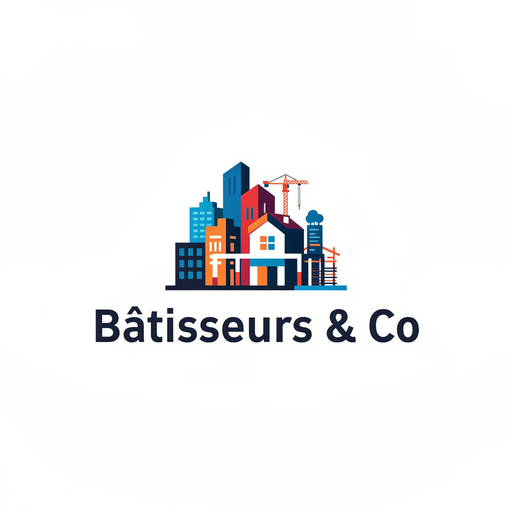
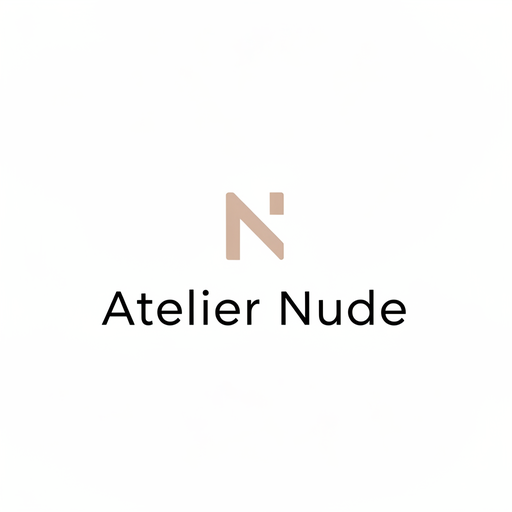
The two concepts below were generated by BrandMotion Lab’s engine for fictional brands in our demo gallery; they are not customers. They have not been embroidered: the comparison is about their design, against the guidelines above.
Size, placement and fabric change everything
Before approving a logo for embroidery, write down where it will be stitched and at what size. The same design is not handled the same way everywhere:
- Chest: a small area, where text and line thresholds matter most.
- Back: a large area that allows more detail, but means more stitches and longer run times.
- Cap: a curved, often stiff surface; the possible areas and techniques depend on the model.
- Sleeve or collar: a symbol or an initial is enough.
The fabric matters too: a stretchy knit, a thick fleece or a technical fabric are not embroidered with the same settings as a cotton twill. Accounting for that is the digitizer’s job; telling them the exact garment is yours.
Which files to send your embroiderer
Suppliers generally prefer a vector file (AI, PDF, EPS or SVG depending on the workshop); some accept a high-resolution PNG, but digitizing then starts from an image that has to be interpreted. Prepare a complete package:
- The logo as a vector file (SVG or PDF), in color.
- The monochrome version, dark or light depending on the fabric.
- Your reference colors: the embroiderer will match them to their thread chart.
- The final size in millimeters, the placement and the exact garment (reference, material, color).
- The simplified version if you have one, or an explicit request for simplification.
If you only have an old logo as a PNG or JPG, it will need to be vectorized first: our article how to vectorize a PNG logo into SVG explains the options. To check that an .svg file really contains paths rather than a pasted image, see 7 checks for a real SVG logo.
What the Logo Pack provides for embroidery, and what it does not
BrandMotion Lab’s Logo Pack delivers, for the chosen logo, an SVG built from real vector paths, a vector PDF, dark and light monochrome versions, PNGs and a one-page brand guide with the reference colors. That is exactly the starting point an embroiderer asks for to digitize.
It does not include a digitized embroidery file (DST, PES or other), a thread chart match or a version simplified specifically for embroidery. Those steps depend on size, fabric and machine, so they belong to your embroiderer. Choosing a simple, flat concept with few colors from the start reduces the simplification work.
The trade guides show how these constraints play out in practice: clothing brand logo for labels and textiles, and construction company logo for workwear. To compare the Logo Pack with our subscriptions, see the Pricing page.
Common mistakes
- Sending a screenshot or a logo saved from social media as the source file.
- Not giving the final size: the embroiderer cannot tell whether the text will hold.
- Keeping the tagline and small details on a chest mark.
- Relying on a gradient or a metallic effect printed on screen.
- Approving on screen without a sample: ask for a test stitch-out or a photo of it before a run.
- Reusing the same machine file for every size: a cap and a jacket back need different digitizing.
Frequently asked questions
- Can a logo be embroidered from a PNG?
- Some suppliers accept a high-resolution PNG, but most prefer a vector file: it gives clean, unambiguous outlines for digitizing. Either way, the embroiderer then produces their own stitch file.
- How many colors can be embroidered?
- It depends on the embroiderer, the machine and the size. Each color means a thread and a thread change; the fewer there are, the cleaner the result and the simpler the production. Ask your supplier for their limit.
- Do I need to provide a DST or PES file?
- Not necessarily. These machine formats are usually produced by the embroiderer or a digitizer from your vector file. Ask your supplier whether they digitize in-house or expect a ready-made file.
- My logo has a gradient: can it be embroidered?
- A gradient cannot be reproduced faithfully in thread. The safest option is to use the monochrome or a flat-color version of your logo for embroidery, and keep the gradient for screens and print.