Developer API: keys and first calls
The API lets you start logo generations from your own applications. It is reserved for an active Agency plan. Each key has 10 credits per month, one generation uses one; you can have up to 5 active keys.
Before you start
- An active Agency subscription.
- A safe place to keep the key (secrets manager).
Steps
Step 1
Create a key
In “Developer”, name the key then “Create”. Key created — copy it now, it won’t be shown again.
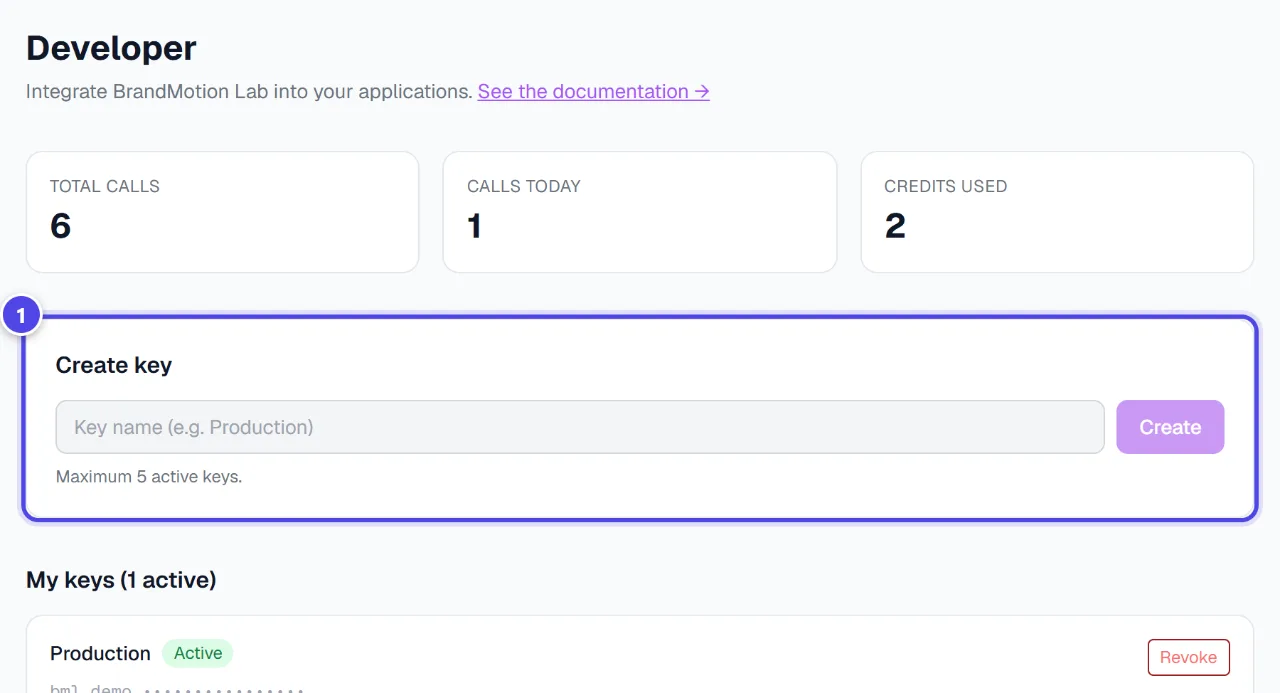
- 1Key creation
Step 2
Make a first call
“Quick start” shows the basic calls: start a generation, follow its status, list the logos. The full documentation is on the API page.
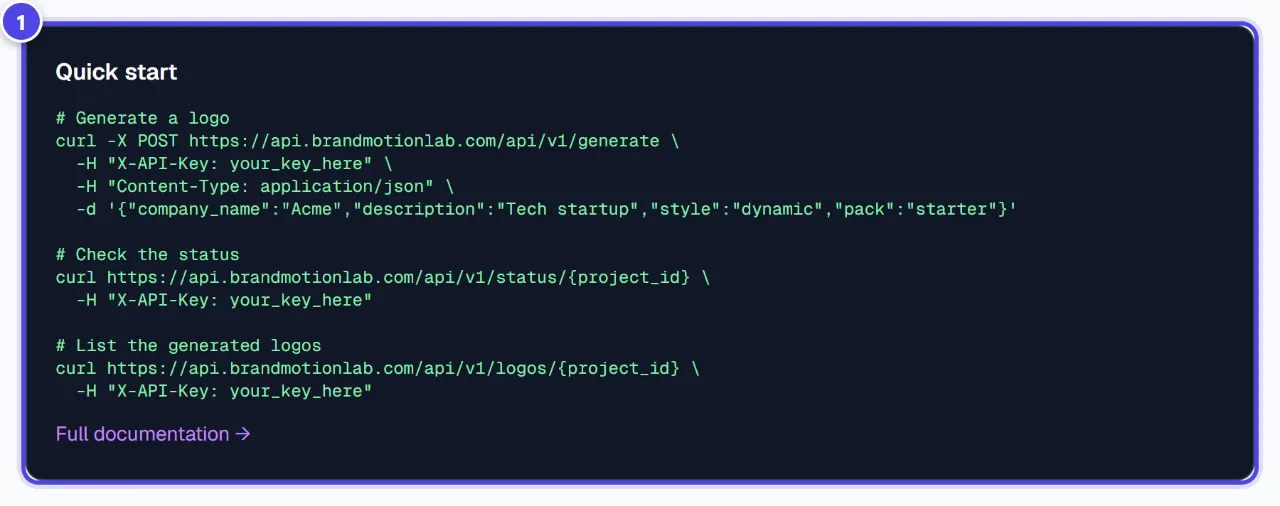
- 1Basic calls
Step 3
Track and revoke
The page shows calls and credits used. “Revoke” cuts a key’s access immediately.
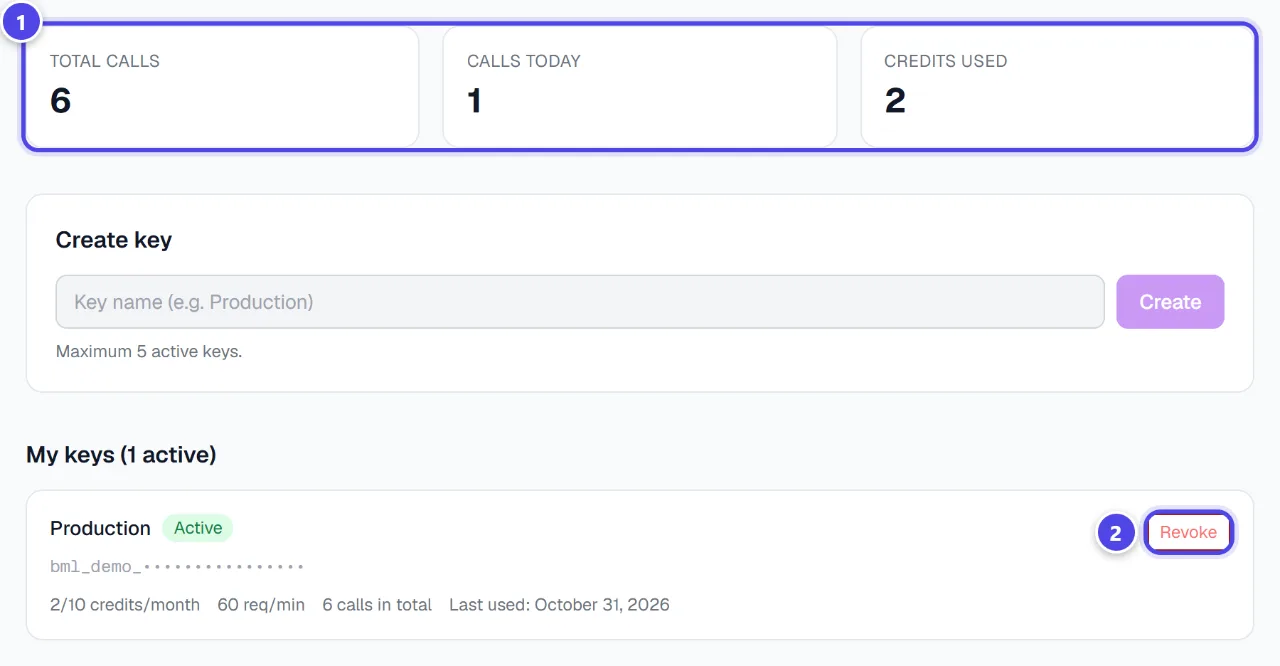
- 1Calls and credits
- 2Revoke a key
Screenshots taken with a demo account and brand (“Maison Dorée”). The logos shown are examples, not customer creations.
What you get
- A personal API key.
- Logos generated and downloadable from your application.
Tips and common issues
- “API access is reserved for the Agency plan”
- Solution: Move to the Agency plan from Subscription.
- Calls are refused at the end of the month.
- Solution: The key’s credits are used up; they renew on the first day of the following month.
Frequently asked questions
Can I see a key again after creating it?
No, it is shown once. Revoke it and create a new one if it is lost.
What happens if my subscription stops?
Generations are refused; the key stays valid and works again once reactivated.
Does the API debit my tokens?
No, it uses the key’s monthly credits.