Generate your concepts and adapt them
“Generate your concepts” produces raw logo concepts from your brief, then style or colour variants of the chosen concept. The module requires the Solo plan or higher. Each concept and each variant costs 5 tokens.
Before you start
- A Solo subscription or higher and enough tokens.
- The brand name and industry (required).
Steps
Step 1
Describe your brand
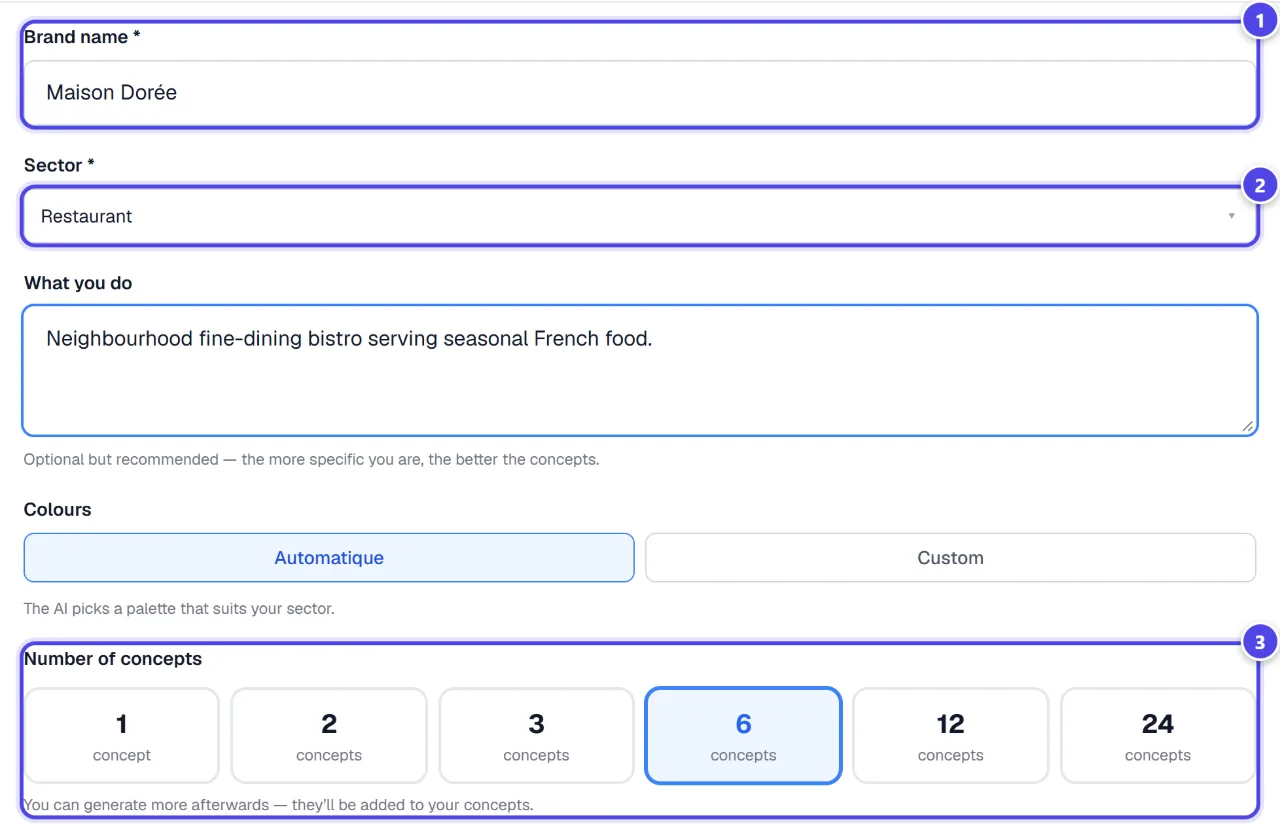
In “Describe your brand”, fill in “Brand name *”, “Sector *”, the description and colours, then the “Number of concepts”. You can generate more afterwards — they’ll be added to your concepts.
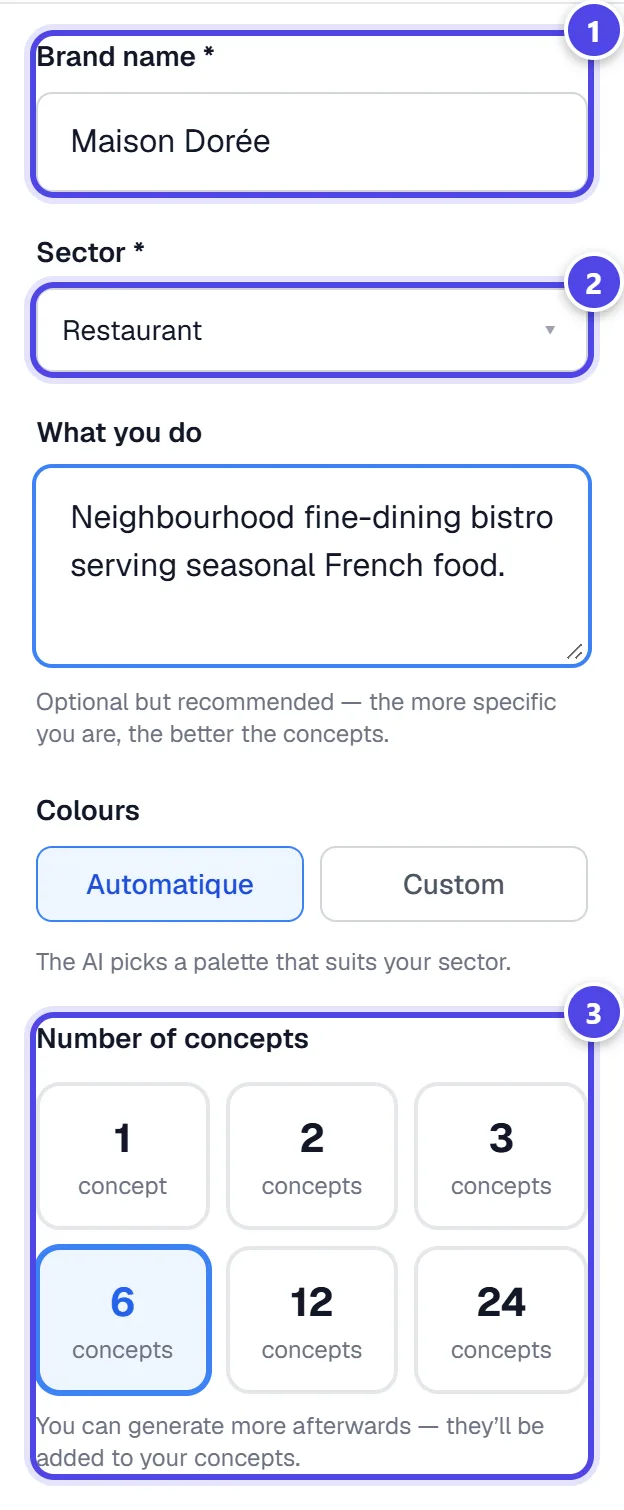
On mobile
- 1Brand name
- 2Industry
- 3Number of concepts
Step 2
Explore and select
Concepts appear in a grid. Click your favourite concept: it is marked “✓ Selected”. Then click “Refine this concept →”. “🗂 My generations” lets you resume a previous generation.
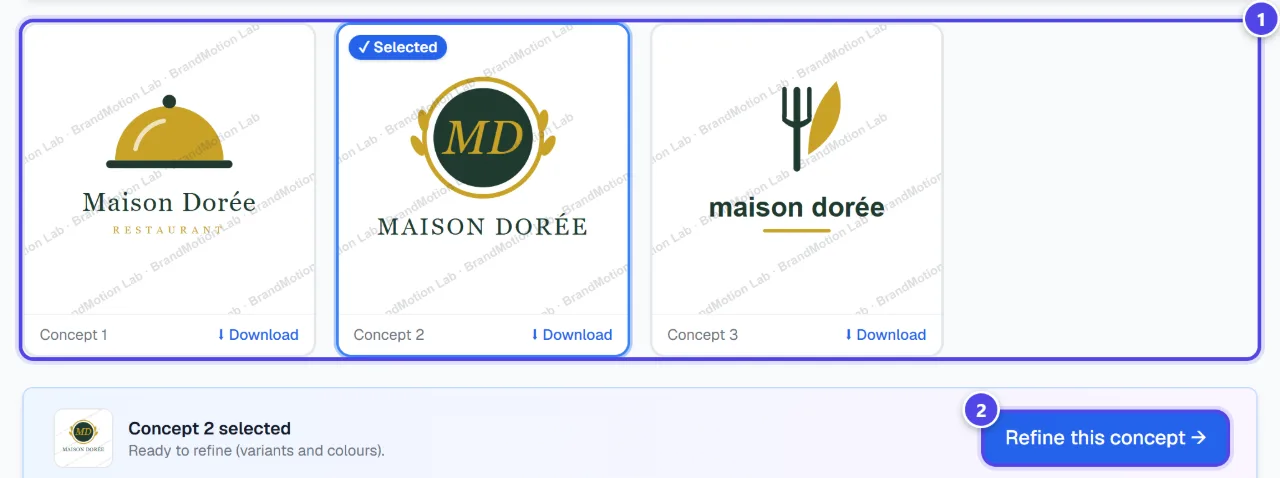
- 1Selected concept
- 2Go to variants
Step 3
Adapt the chosen concept
Choose a method, a model and a quantity. “Style variants” adapts the same logo; “Colour — with an image” takes the colours of a reference image; “Colour — without an image” suggests new palettes. The “AI model” sets the balance between quality and speed.
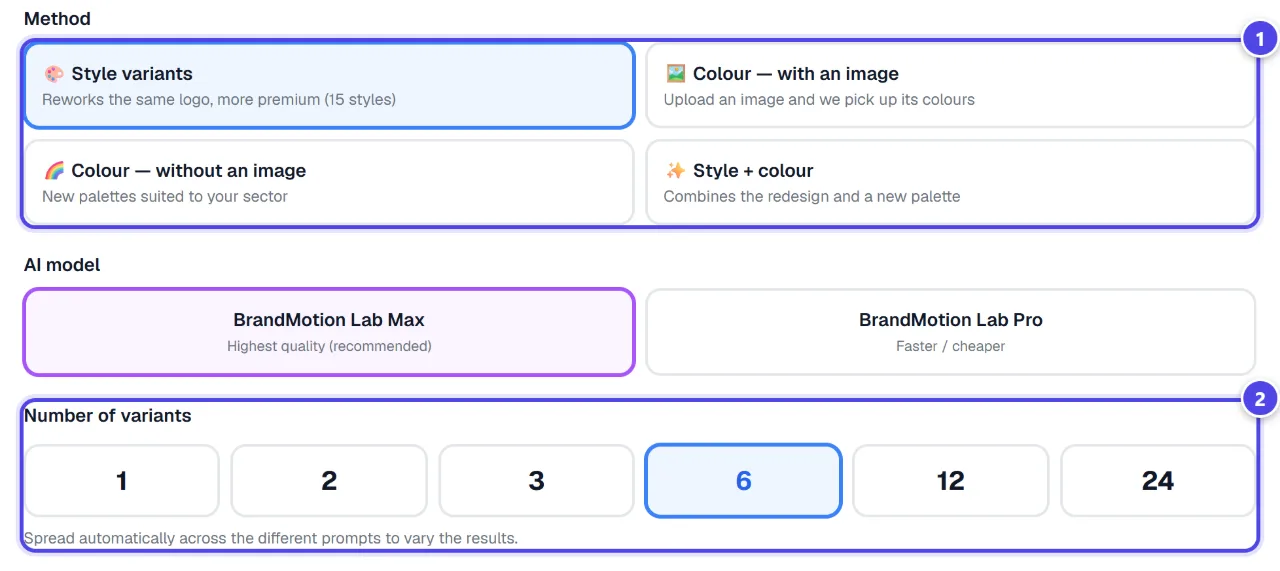
- 1Variant method
- 2Number of variants
Step 4
Download your images
“⬇ Download” saves one concept; “⬇ Download all” bundles your concepts and variants in a ZIP archive. They are images: for vector files, use “Vectorized Pro Logo” or “Create my logo”.
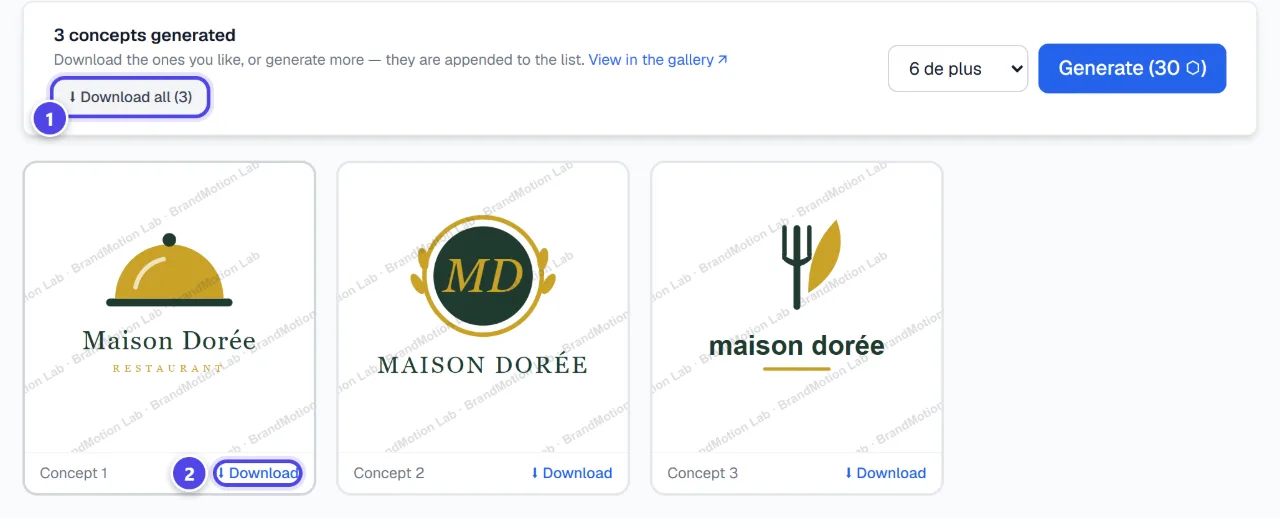
- 1Download all (ZIP)
- 2One concept
Screenshots taken with a demo account and brand (“Maison Dorée”). The logos shown are examples, not customer creations.
What you get
- Raw logo concepts as images, kept in “🗂 My generations”.
- Style or colour variants of the chosen concept.
- A ZIP archive of your images.
Tips and common issues
- “Add a colour reference image.”
- Solution: The image method needs a reference image: it only guides colours and mood.
- The module shows a lock.
- Solution: It is reserved for the Solo plan or higher.
Frequently asked questions
How much does a generation cost?
5 tokens per concept and per variant. The total depends on the number requested.
Are concepts vector files?
No, they are images. For a vector logo, use “Vectorized Pro Logo” or “Create my logo”.
Can I resume later?
Yes: your generations stay in “🗂 My generations”.