Merchandise: order products with your logo
The “Merchandise” module lets you order custom products with your logo: clothing, drinkware, accessories and prints. It is open to every plan; the price of the product and delivery is shown before payment. Payment happens on a secure page, then the product is made and shipped.
Before you start
- A logo of the active brand, ideally on a transparent background.
- A delivery address.
Steps
Step 1
Choose a product
Click “Create a product”, then browse the categories: Clothing, Drinks, Accessories and Print.
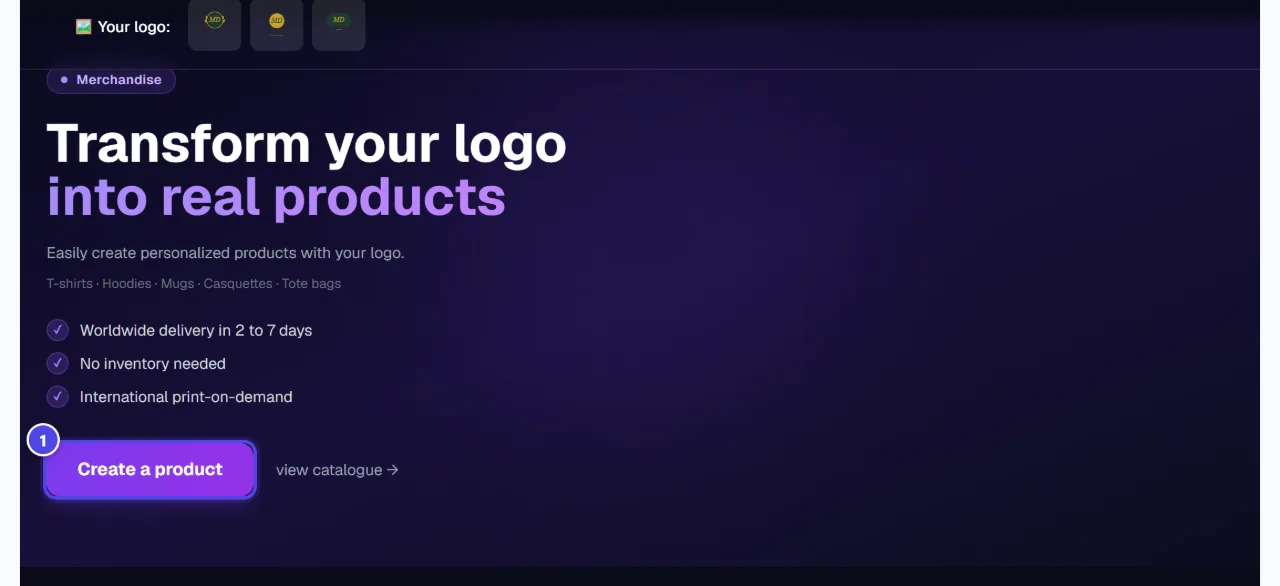
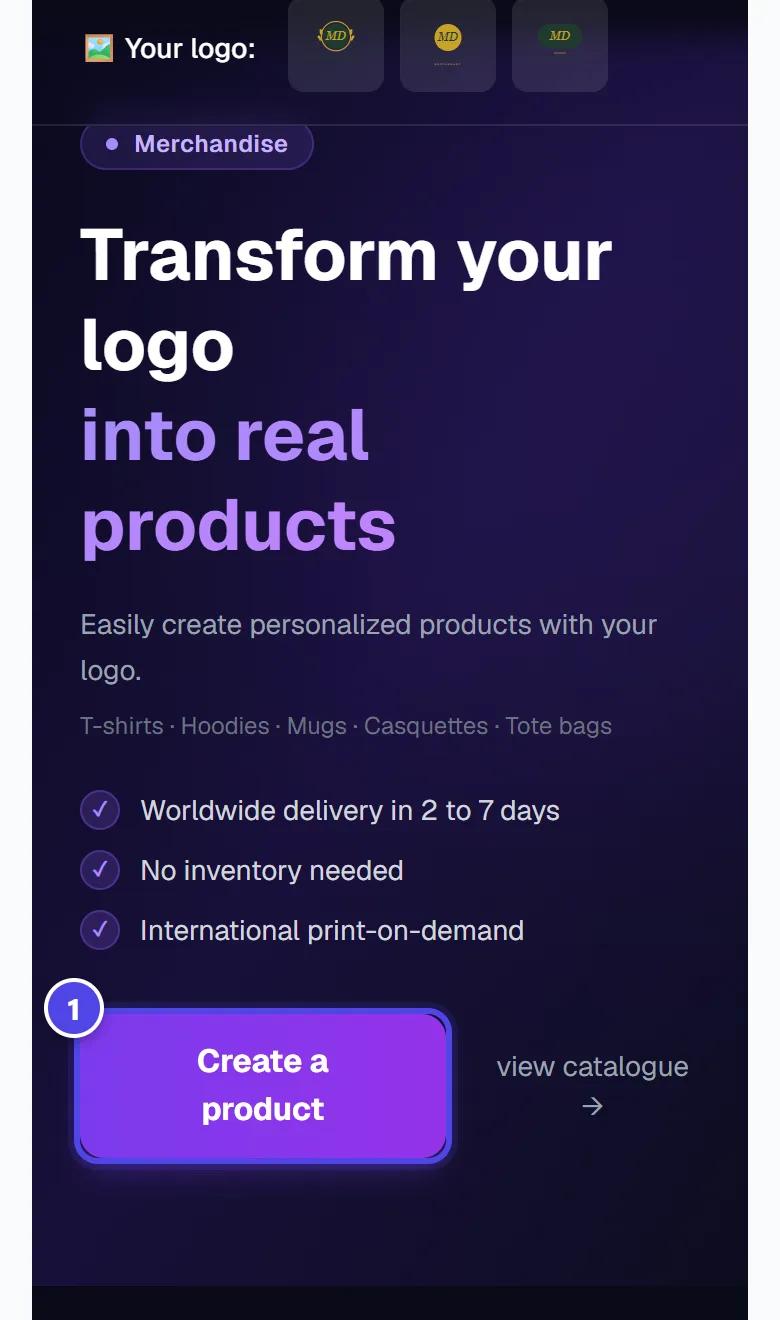
On mobile
- 1Create a product
Step 2
Choose the variant and check the logo
“Choose your variant”: colour, size or option. The “Logo applied” block shows the logo used. Without a logo: Your order will be sent without customization.
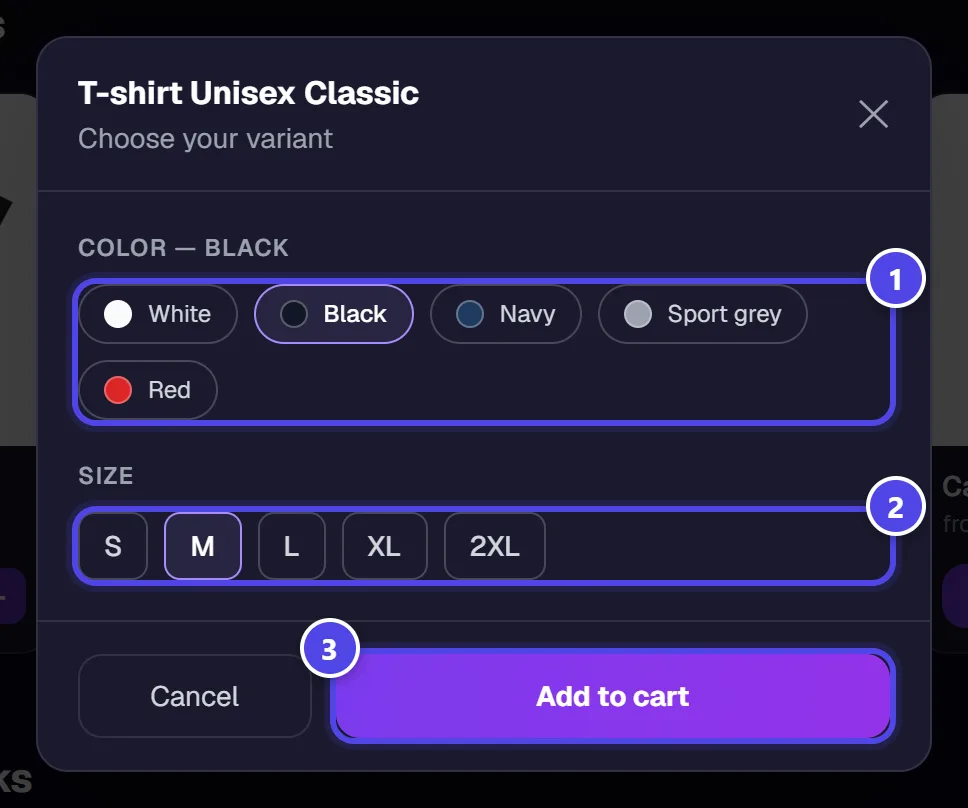
- 1Colour
- 2Size
- 3Add to cart
Step 3
Enter the delivery
Fill in the “Delivery address” or choose a saved address, then the “Shipping method”. Shipping costs are calculated before payment.
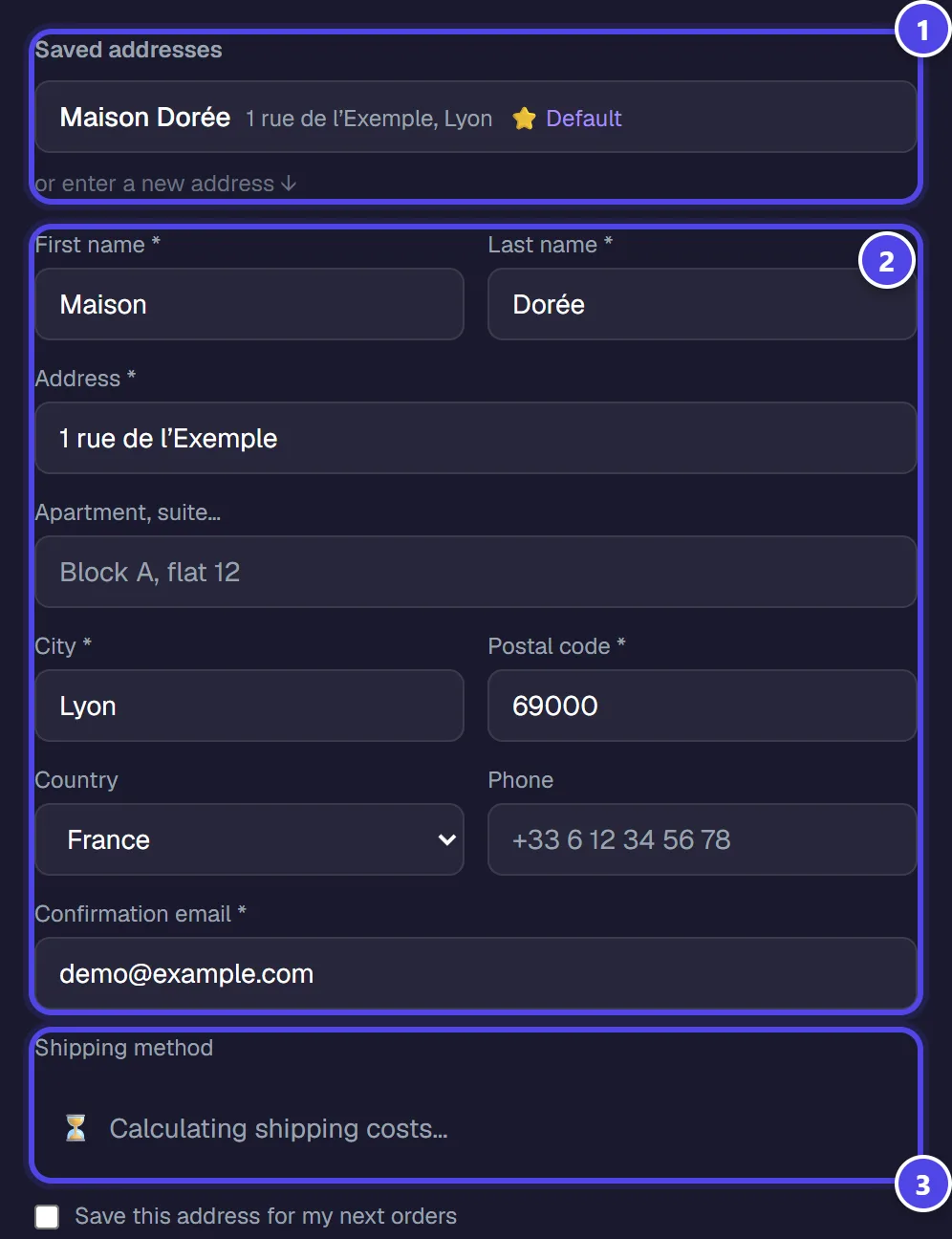
- 1Saved address
- 2Delivery address
- 3Shipping method
Step 4
Pay and track the order
Secure payment via Stripe — you will be redirected to the payment page. After payment, the order goes through “Paid”, “In production”, “Shipped” and “Delivered”.
Screenshots taken with a demo account and brand (“Maison Dorée”). The logos shown are examples, not customer creations.
What you get
- A custom product with your logo, delivered to the address given.
- Order status tracking in the module.
Tips and common issues
- “⚠️ No logo selected”
- Solution: Choose a logo of the active brand before adding the product to the cart.
- The logo shows a white background.
- Solution: Cut it out first with “Background removal”.
Frequently asked questions
How much does a product cost?
The price depends on the product, variant and delivery; it is shown before payment.
Is payment secure?
Yes: it happens on the secure payment page you are redirected to.
Do the screenshots show the payment?
No: payment and production happen at external providers and are not illustrated in this guide.