Practical logo guides by trade
Independent consultant logo: name, monogram and LinkedIn
A consultant sells expertise, not a product. Clients discover you on LinkedIn, in a proposal, at the bottom of an email or on a card exchanged in a meeting. The logo does not make the decision there, but a consistent identity keeps you from looking improvised. This guide helps you choose between your own name and a firm name, between a wordmark and a monogram, and roll it all out without a false note.
BrandMotion Lab · Published · 6 min read
Strategy, B2B expertise or a firm: who does the logo represent?
Strategy or management consultant
Executive clients, dense documents, board presentations. Restraint dominates: refined typography, one color, no effects. The logo must sit discreetly in the corner of a slide.
Specialized B2B independent
Finance, HR, IT, procurement, quality: your expertise is specific. The logo can hint at it through a color or a shape, without a stock pictogram.
Small consulting firm
Several partners, one shared brand. The firm name becomes the landmark; the logo has to work in documents produced by several people, so it must stay simple to apply.
Your own name or a firm name?
| Option | Advantages | Limits |
|---|---|---|
| Your name | A direct link to your reputation and network; instant on LinkedIn | Harder to bring in partners or sell the business |
| A firm name | Prepares for growth and a team; separates the brand from the person | Has to be built and protected; less meaningful at first |
| Your name + a descriptor | A compromise: “First Last Consulting”, “Name & Partners” | A longer name to check at small sizes |
Before choosing a firm name, check that it is not already used or registered in your field. For France, see registering a logo with the INPI; elsewhere, search your national trademark office.
Wordmark or monogram
- The wordmark: your name or the firm’s, set in a well-chosen typeface. It is the most legible and durable option for a consultant.
- The monogram: your initials in a simple shape. Useful for the avatar, favicon, document footer and the back of a card.
- Both together: a wordmark for headers, the monogram for small sizes. Often the best choice.
Avoid the stock symbols of consulting: rising arrow, puzzle piece, light bulb, handshake, chess piece. They are so common that they no longer say anything about you.
Demo: an illustrated network or a simple shape
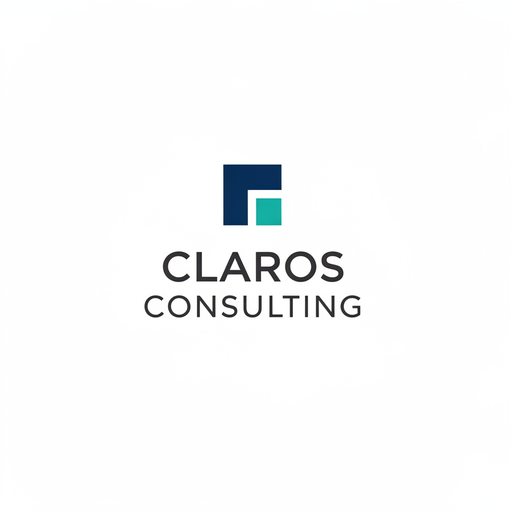
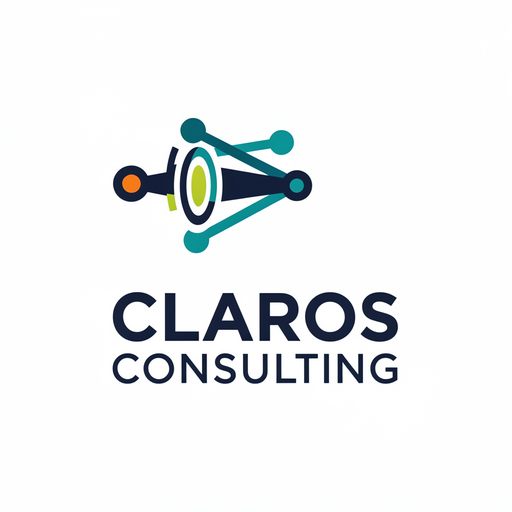
These two concepts were generated by BrandMotion Lab’s engine for “Claros Consulting”, a fictional brand from the consulting sector of our demo gallery; it is not a customer. The comparison is about how each would work in a consultant’s documents.
What a logo can do for your credibility, and what it cannot
A logo guarantees neither trust nor contracts: your references, recommendations, the quality of your deliverables and your network weigh far more. What a careful identity can do is avoid distraction: consistent documents, a clean signature and a coherent profile show that you take care of details, as you will on the engagement.
| Where | Version to use |
|---|---|
| LinkedIn company page, favicon, avatar | Monogram or symbol only, centered |
| Proposal, report, invoice | Wordmark in the header, black version for printing |
| Presentation template | Discreet wordmark on the cover, monogram in the slide footer |
| Email signature | A small PNG of the wordmark, with your details as text |
| Business card | Wordmark on the front, monogram possible on the back |
LinkedIn: personal profile, company page and banner
- Personal profile: it represents a person; the photo should stay yours. The logo belongs in the banner, the experience section and your posts.
- Company page: if you create a page for your firm, LinkedIn’s help recommends a 400 × 400 pixel logo (minimum 268 × 268), in PNG or JPEG. A monogram or symbol alone reads better there than the full wordmark.
- Banner: the wordmark and one clear sentence about your offer, without clutter. Check it on mobile, where the banner is cropped.
Presentations and proposals
In a presentation template, the logo signs without taking over: on the cover, then small in a corner or footer. A large logo on every slide crowds out the content. Define two or three colors and one typeface for headings, and stick to them: that consistency, far more than the logo, is what conveys rigor. To go further, the guide brand guidelines: a complete guide explains how to formalize those rules.
Email signatures and business cards
- Email signature: many email clients do not display SVG images; use a small, hosted PNG with alt text. Your name, role and contact details should stay as text, because some recipients block images.
- Reasonable size: a signature logo should not be taller than a few lines of text.
- Business card: a small format, sometimes budget printing. Check the wordmark at actual size; the back can carry the monogram alone.
Common mistakes
- Stock symbols: arrow, puzzle, light bulb, handshake, chess.
- A firm name chosen without checking, already used in your field.
- The logo instead of your photo on your personal LinkedIn profile.
- An SVG logo in your email signature, invisible to some recipients.
- Different colors and fonts from one document to the next: the logo alone cannot make up for inconsistency.
- Expecting the logo to convince people in place of your references and results.
A simple method with BrandMotion Lab
- Decide between your name and a firm name, and check that the chosen name is available.
- Test a direction with the no-account trial: two watermarked previews, limited, with no downloadable files.
- With an account, compare six free Logo Pack concepts; favor restrained wordmarks you can derive a monogram from.
- Place the chosen concept on a slide, in an email signature and in a round avatar, then compare.
- After the one-time payment, use the SVG or PDF for your documents and printer, and the PNGs for LinkedIn and your signature.
Not sure whether to choose the Logo Pack or a subscription? The Pricing page compares both paths. For your website favicon, see creating a favicon for your website.
Frequently asked questions
- Does an independent consultant really need a logo?
- It is not essential: a name well set in a refined typeface can be enough. The main benefit of a logo is consistency across your documents, LinkedIn page and signature; it replaces neither your references nor your network.
- What size should a LinkedIn company page logo be?
- LinkedIn’s official help recommends 400 × 400 pixels, with a minimum of 268 × 268, in PNG or JPEG. A centered monogram or symbol reads better there than a full name.
- Can I use an SVG logo in my email signature?
- A PNG is safer: many email clients do not display SVG. The final Logo Pack contains transparent PNGs you can use for the signature, alongside the vector SVG and PDF for your documents.
- If I set up a firm later, will I have to start over?
- Not necessarily. A wordmark with your name can evolve into “Name & Partners” while keeping the typography and colors. If you expect to build a team, a firm name from the start avoids that change.