Practical logo guides by trade
How to prepare a logo for screen printing and T-shirts
Getting your logo printed on T-shirts seems simple until the first conversation with the print shop: how many colors, which file, what size, screen printing or transfer? This guide explains what happens between your logo and the fabric, what you need to prepare, what the print shop does on its side, and what BrandMotion Lab actually delivers.
BrandMotion Lab · Published · 6 min read
Four processes, four ways of handling a logo
The process changes the constraints. Names and capabilities vary from one shop to another; this table gives the main principles, to be confirmed with your supplier.
| Process | Principle | What the logo must withstand |
|---|---|---|
| Screen printing | Ink is pushed through a screen, one screen per color | Flat colors, a limited number of colors; gradients must be halftoned |
| Direct-to-garment printing | Ink is sprayed onto the fabric, like a printer | More colors and nuances, results vary with the fabric |
| Transfer (printed film, then heat-pressed) | The design is printed on a film, then applied with heat | Many colors possible, a different feel from screen printing |
| Cut vinyl, flock | A cut material follows the outlines of the design | Few colors, no tiny details or very thin lines |
Embroidery is a separate case: the machine reads a stitch file created by the embroiderer. Our guide how to prepare a logo for embroidery covers it in detail.
Start from a clean vector file
- A real vector file (SVG or vector PDF, sometimes AI or EPS depending on the shop): it scales without loss and lets each color be isolated.
- Outlined text: converting fonts to outlines prevents a font missing at the shop from changing the result.
- No pasted image: an .svg file can contain a bitmap image. The guide 7 checks for a real SVG logo explains how to verify it.
- Clean shapes: remove unnecessary overlaps and group shapes of the same color, as Adobe’s preparation tutorials recommend.
If you only have an old logo as a PNG or JPG, it will need to be vectorized first: see how to vectorize a PNG logo into SVG.
Preparing colors
- Count your colors: in screen printing, each one adds a screen and a pass. A one- or two-color logo is simpler to produce.
- Choose shades with the shop: they work with their own inks and color references. Give them your reference colors and ask which match they suggest.
- Think about the garment color: an ink does not look the same on a white, heather grey or black T-shirt. Prepare a light version of your logo for dark fabrics.
- Beware of similar shades: two colors that look almost identical on screen can merge once printed. Clear contrast works better.
Color separation, depending on the technique
In screen printing, each color in the logo becomes a separate screen. Depending on the shop, they create those separations from your vector file, or they ask for a file organized with one layer per color. Digital printing and transfers generally do not need separations, since all colors are printed at once.
1.Original two-color logo
2.Screen for the first color
3.Screen for the second color
4.Optional white underbase
On dark garments, many shops first print a light underbase so the colors stand out. It is the shop’s choice, to confirm with yours.
Fine details and sizes
There is no universal minimum size for a line or text printed on fabric: it depends on the screen, ink, fabric and process. Each shop sets its own limits. A few habits, however, apply everywhere:
- Give the final size in centimeters and the placement (left chest, center chest, back, sleeve). A logo planned for the back is not prepared like a small left-chest logo.
- Print the logo at actual size on paper and lay it on the T-shirt: unreadable details jump out.
- Simplify the version used for small placements: drop the tagline, thicken thin lines, use the symbol alone.
- Keep proportions: ask for proportional resizing; a logo stretched to fill an area gets distorted.
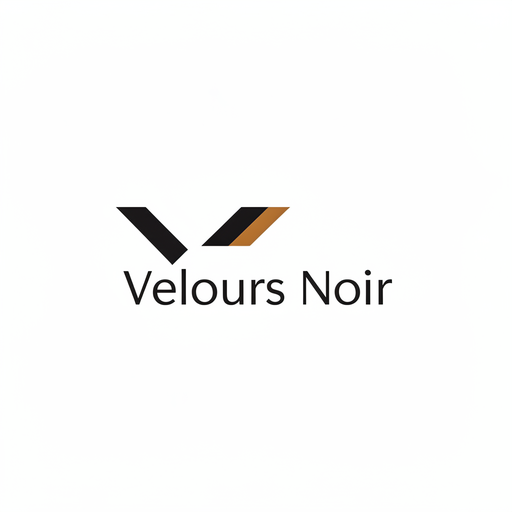
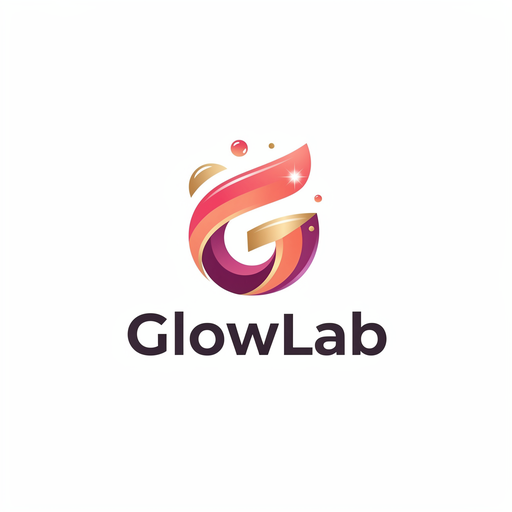
Demo: flat colors or a gradient
These two concepts were generated by BrandMotion Lab’s engine for fictional brands in our demo gallery. They have not been printed: the comparison is about their design, with screen printing in mind.
Proofs and print shop checks
Before any run, ask for a proof: a mockup showing the logo on the actual garment, at the right size and position, with the planned ink colors. Check spelling, proportions, colors and the logo version. For a first large order, a printed sample remains the best safeguard.
A shop’s recommendations (line width, number of colors, underbase, halftone) are specific to its equipment. Do not apply them to every supplier: ask again each time you work with a new shop.
What BrandMotion Lab delivers, and what it does not
The Logo Pack delivers, for the chosen logo, an SVG built from real vector paths, a vector PDF, transparent PNGs, dark and light monochrome versions and a one-page brand guide with colors in HEX, RGB and indicative CMYK. That is the starting point a print shop asks for to prepare a print.
It does not deliver per-screen separated files, ink color references, films, halftones or embroidery files. Those steps depend on the shop’s process and equipment. With a subscription, acquiring a logo from the generator unlocks other formats; depending on the logo, its SVG may contain a bitmap image, so check it before sending it to a screen printer.
To compare the Logo Pack with our subscriptions, see the Pricing page.
Common mistakes
- Sending a screenshot or a logo saved from social media as the source file.
- Not giving the size or placement: the shop cannot tell whether the details will hold.
- Keeping a gradient for screen printing without discussing it with the shop.
- Forgetting the garment color and discovering a dark logo that cannot be read on a black T-shirt.
- Approving without a proof, then receiving a run in the wrong colors.
- Choosing cut vinyl for a very detailed logo: small cut pieces peel off.
Frequently asked questions
- How many colors should a screen-printed logo have?
- As few as possible: each color adds a screen and a pass. A one- or two-color logo is the simplest to produce; beyond that, ask the shop, which may also suggest digital printing or a transfer.
- Is the Logo Pack SVG enough for a screen printer?
- It is the right starting point: a file built from vector paths that scales without loss. The shop then creates its own production files (separations, halftones if needed, ink choices) for its process.
- Do I have to separate the colors myself?
- Not necessarily. Many shops create separations from a vector file; others ask for a file with one layer per color. Ask before sending your files.
- Can I sell T-shirts with my logo?
- Finalized deliverables, once the required payment is made, can be used commercially under our terms, without exclusivity or any guarantee that the sign is available as a trademark. Check third-party rights, and consider registering a trademark if you launch a range.