Invoices and token receipts
“My invoices” lists your token credits: subscriptions, top-ups and refunds. Each line prints as a credit receipt, which is not a VAT invoice. Payment invoices are downloaded in the secure payment area, opened from “Subscription”.
Before you start
- At least one subscription or top-up.
Steps
Step 1
See the history
Each line shows the date, the type (“Subscription”, “Token top-up”…), the tokens credited and the balance after credit.
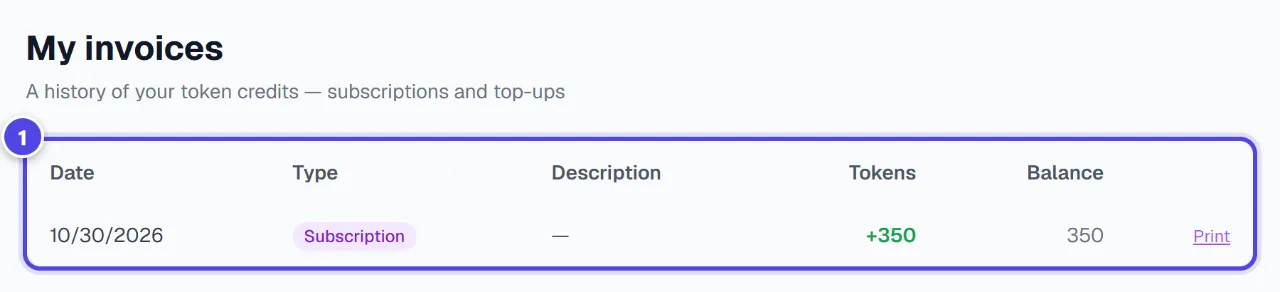
- 1Token credits
Step 2
Print a receipt
“Print” opens the line’s receipt, ready to print or save as PDF. This document is a token credit receipt and is not a VAT invoice.

- 1Print the receipt
Screenshots taken with a demo account and brand (“Maison Dorée”). The logos shown are examples, not customer creations.
What you get
- A printable receipt for each token credit.
Tips and common issues
- “No invoices yet”
- Solution: Your top-ups and subscriptions will show up here.
- I need an invoice with VAT.
- Solution: Open “Manage or cancel my subscription” in Subscription: payment invoices can be downloaded there.
Frequently asked questions
Do token debits appear here?
No, only credits. Debits are in the Tokens page history.
Is the receipt an invoice?
No. This document is a token credit receipt and is not a VAT invoice.
Does the Logo Pack appear here?
No: it does not credit tokens. Its payment follows the same secure flow.