Tokens and top-ups
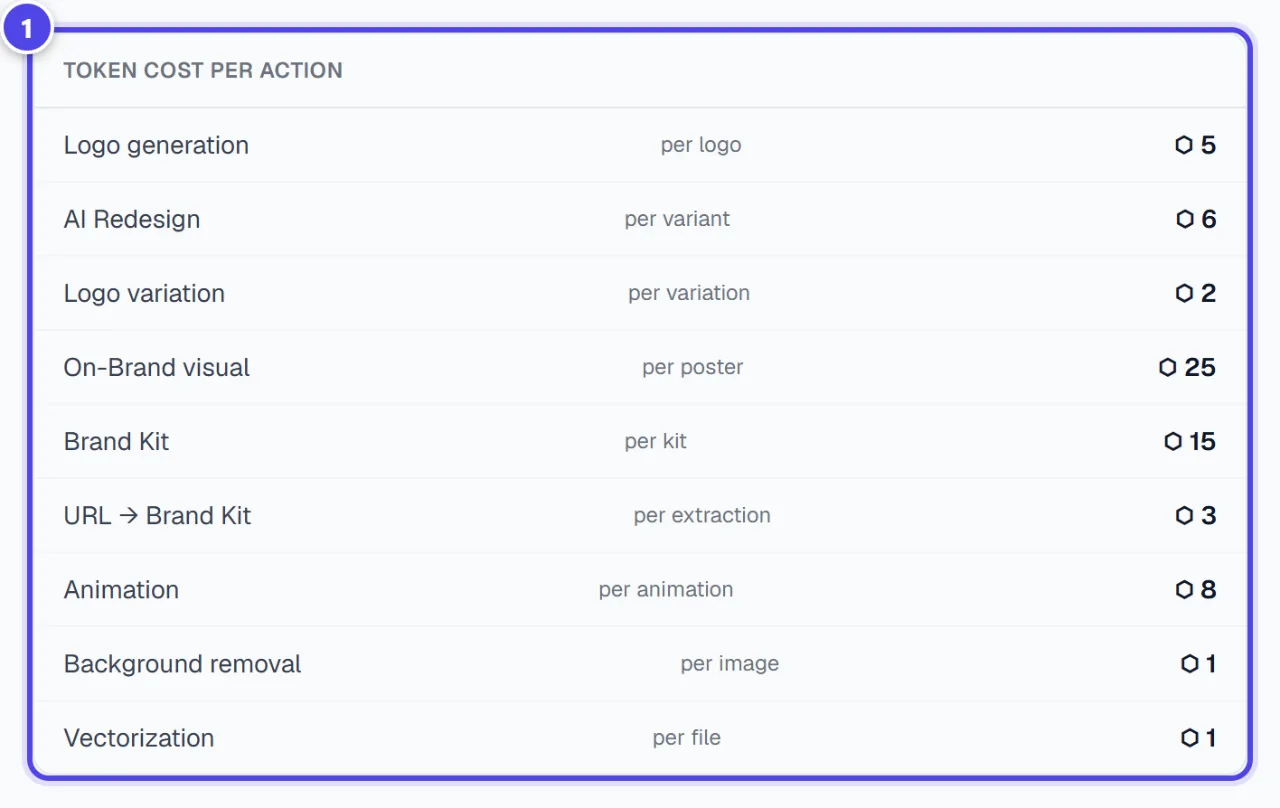
Tokens pay for module actions: for example 5 tokens per generated logo or 15 tokens per Brand Kit. The “My Tokens” page shows your balance, the cost of each action and the history. Top-ups are reserved for active subscribers.
Before you start
- A signed-in account.
Steps
Step 1
Read your balance
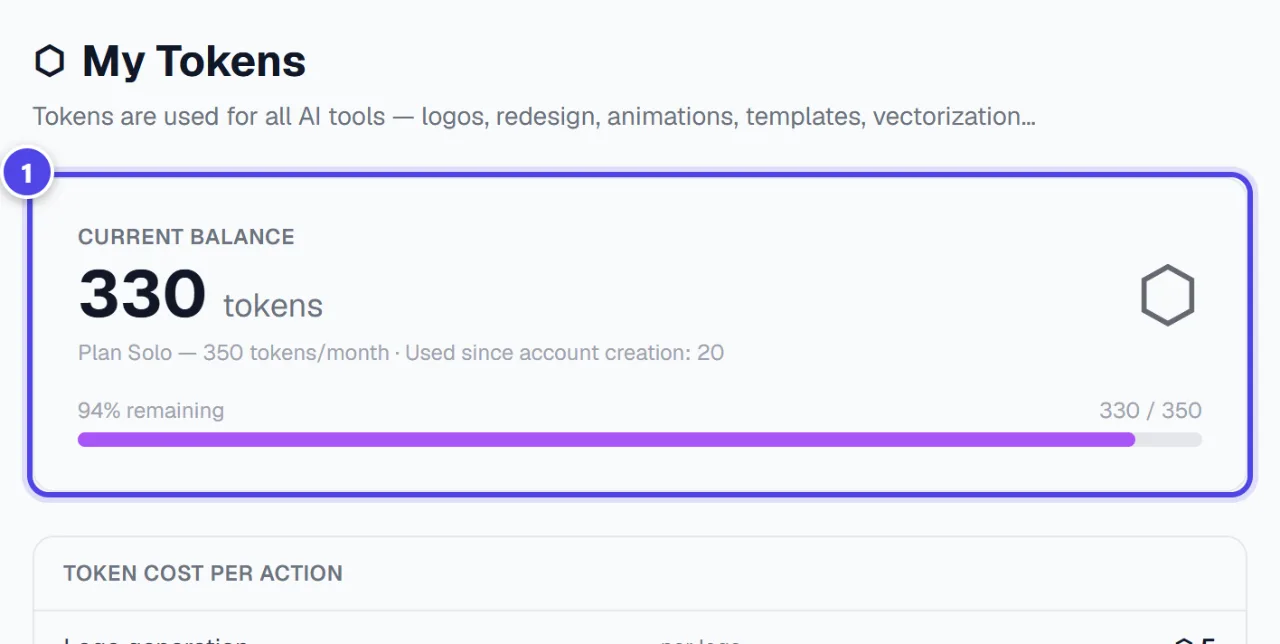
“Current balance” shows the usable tokens. Without an active subscription, a line shows the tokens kept but unavailable.
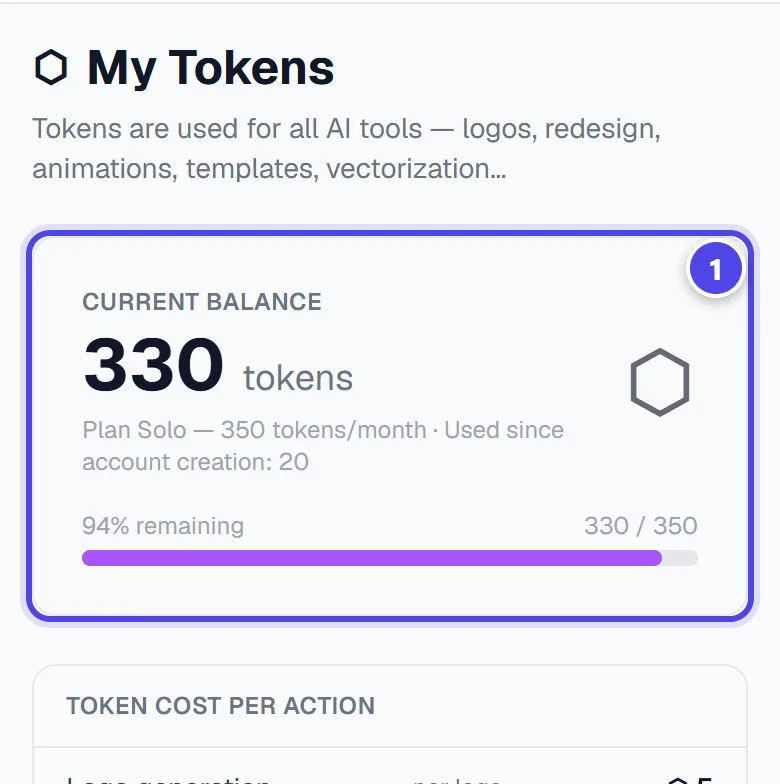
On mobile
- 1Current balance
Step 2
Check an action’s cost
“Token cost per action” lists the cost of each module. Each module also shows its cost before debiting.
- 1Cost per action
Step 3
Top up
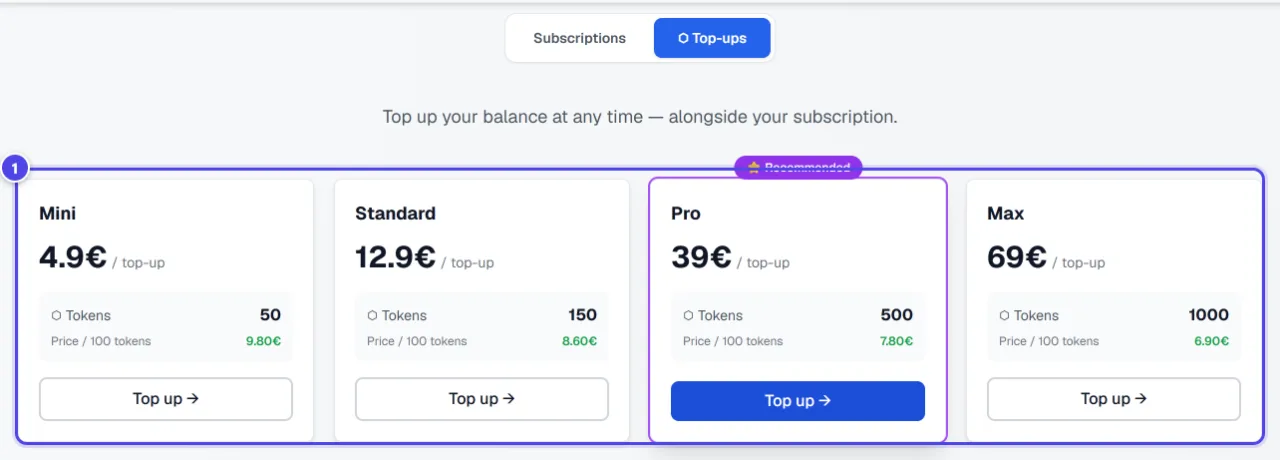
Top-ups are bought on the Pricing page, or from the window that opens when your balance is low: for example 50 or 150 tokens. They are reserved for active subscribers.
- 1Top-ups
Screenshots taken with a demo account and brand (“Maison Dorée”). The logos shown are examples, not customer creations.
What you get
- An up-to-date balance, each action’s cost and the history of your debits and credits.
Tips and common issues
- “Low balance — some actions may be blocked.”
- Solution: Top up from the Pricing page, or wait for next month’s tokens.
- Top-up is not offered.
- Solution: It requires an active subscription. The free account receives its tokens every month.
Frequently asked questions
Do tokens expire?
They stay on your account; without an active subscription, they are kept but unavailable.
Is a failed generation charged?
Modules refund or do not charge items that were not delivered; the history shows it.
Does the Logo Pack use tokens?
No: its concepts and vector logos are included in the purchase.