Getting started: dashboard, menu and brands
The dashboard brings together your active brand, its progress and the suggested next steps. It is included in every plan, free account included. Modules reserved for a plan show a lock with the name of the minimum plan.
Before you start
- A BrandMotion Lab account (free sign-up, no credit card).
- You do not need a brand to start: your first creation creates one.
Steps
Step 1
Find your active brand
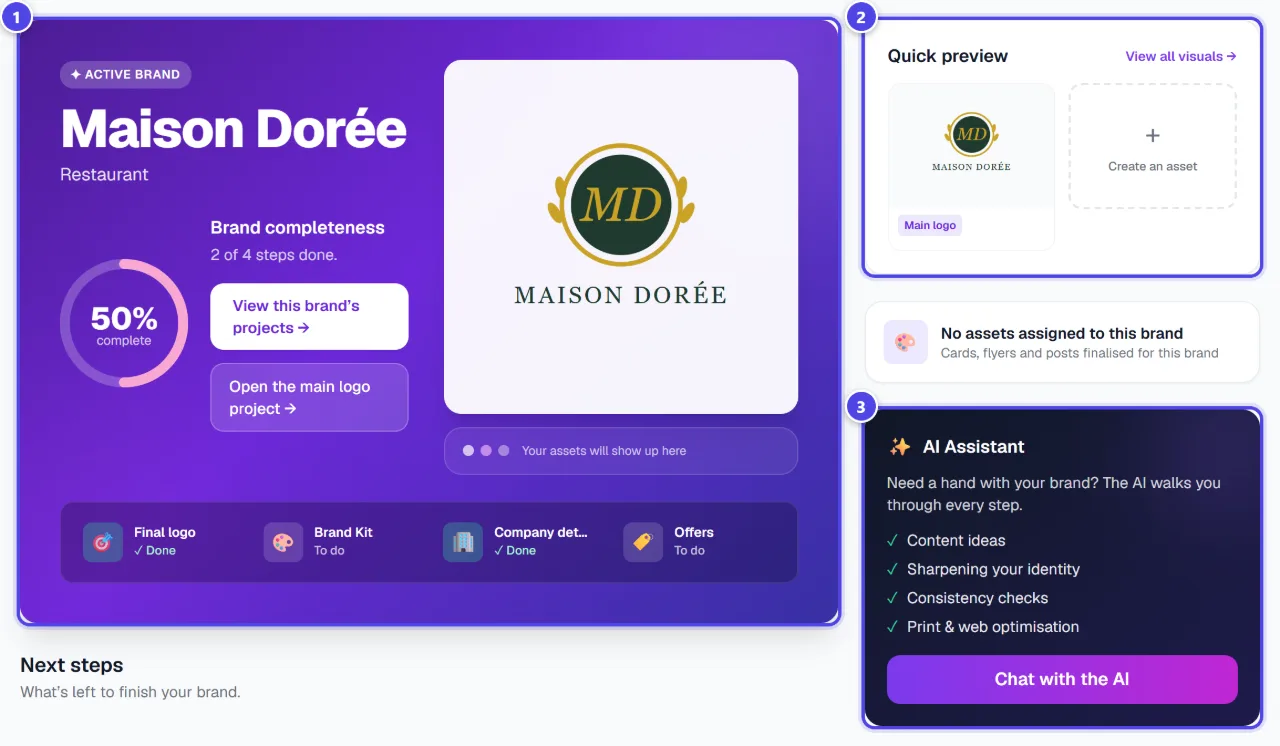
“Home” highlights the active brand, its main logo and “Brand completeness”: final logo, Brand Kit, company profile and offers. “Quick preview” shows your logo, and the “AI Assistant” card opens the assistant.
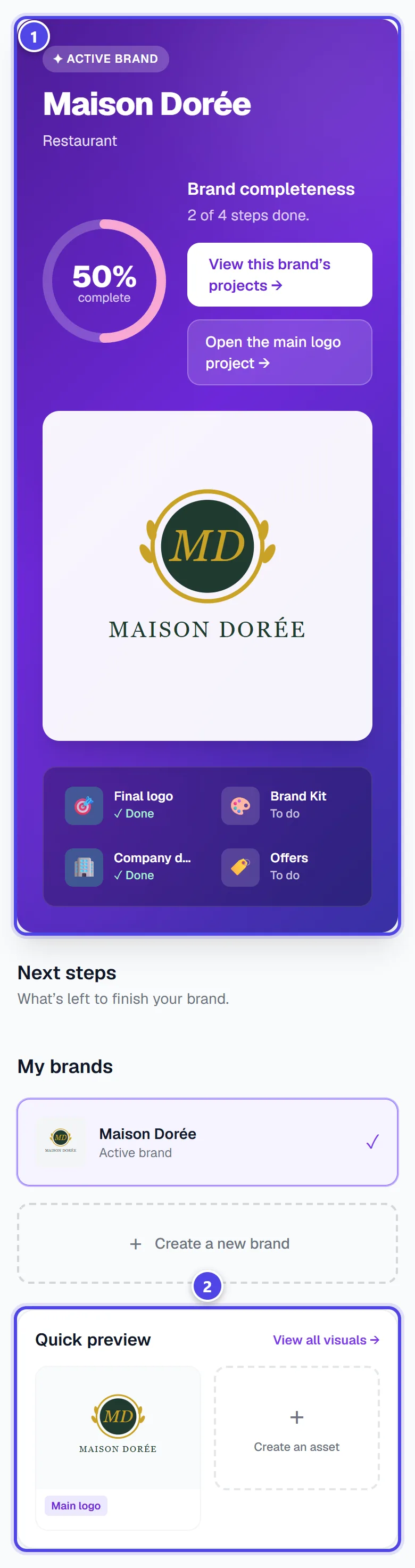
On mobile
- 1Active brand and completeness
- 2Quick logo preview
- 3AI Assistant
Step 2
Browse the menu
The menu groups the modules: “Create”, “My brand”, “Create assets”, “Order”, “Projects & Exports” and “Account”. A lock followed by a plan name, for example “Solo”, marks a module reserved for that plan or a higher one. At the bottom, the subscription block shows your plan and token balance.
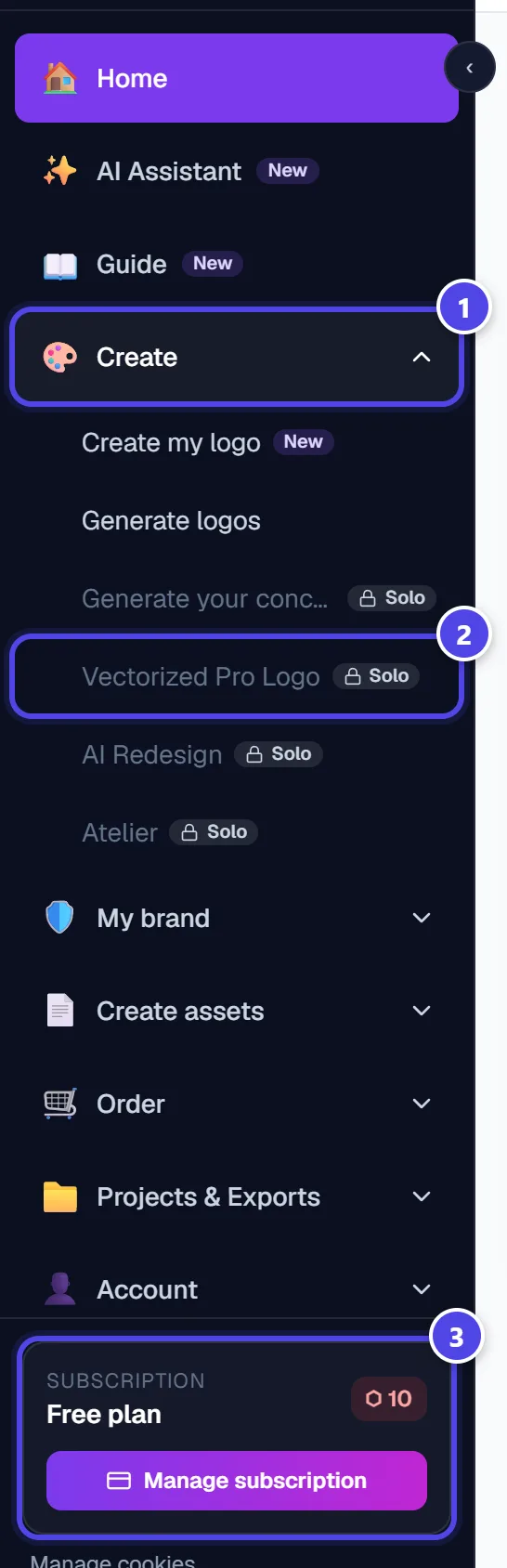
- 1“Create” group
- 2Module reserved for a plan
- 3Plan and token balance
Step 3
Switch brand or create one
A brand groups all the projects of one identity. Under “My brands”, click a brand to activate it, or click “Create a new brand”. The selector at the top of the screen also changes the active brand: every module then works for it.
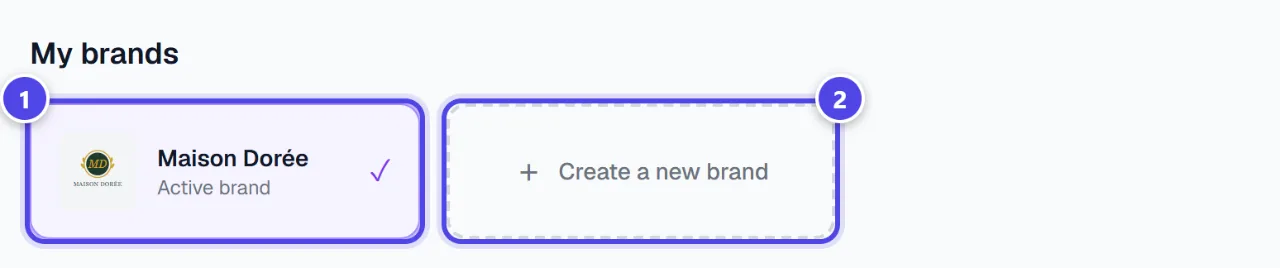
- 1Active brand
- 2Create a new brand
Step 4
Open the brand overview
In “My brand”, “Overview” suggests next steps (mockups, Brand Kit, assets, merchandise), the company profile and the list of your brands, which you can rename or merge.
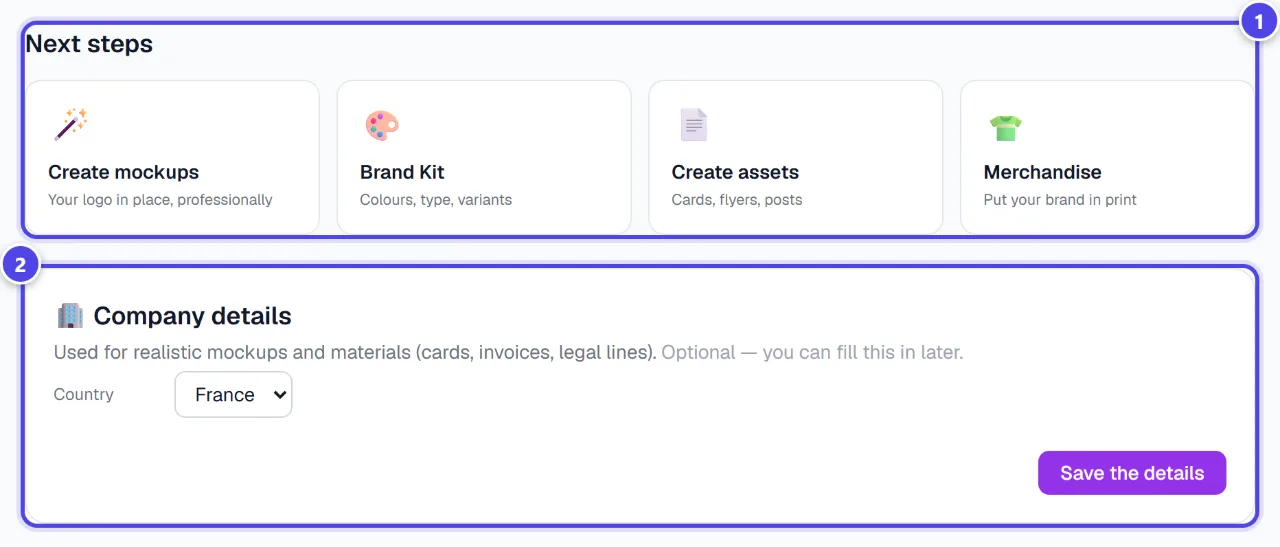
- 1Next steps
- 2Company profile
Screenshots taken with a demo account and brand (“Maison Dorée”). The logos shown are examples, not customer creations.
What you get
- A clear view of what is left to complete your brand.
- Direct access to every module from the menu, with the required plan shown.
Tips and common issues
- A module shows a lock.
- Solution: It is reserved for the plan shown on the badge. Plans and their monthly tokens are detailed on the Pricing page.
- Creations from another brand do not appear.
- Solution: Modules follow the active brand: change it in the selector at the top of the screen.
- Completeness does not move.
- Solution: It counts four items: final logo, Brand Kit, company profile and offers. Fill in the ones marked as to do.
Frequently asked questions
Is the dashboard paid?
No. The home page, the menu, the overview and the library are included in every plan, free account included.
How many tokens do I have?
Your balance is shown at the top of the screen and in the subscription block of the menu. Details are in “Subscription”.
Can I have several brands?
Yes. Each brand keeps its own projects; two brands can share a name, and you can then rename or merge them from the overview.